Car Destruction Engine Performance and Devices
How to keep soft-body crumples readable on most devices during busy Early Access lobbies.
Why performance matters in a soft-body sandbox
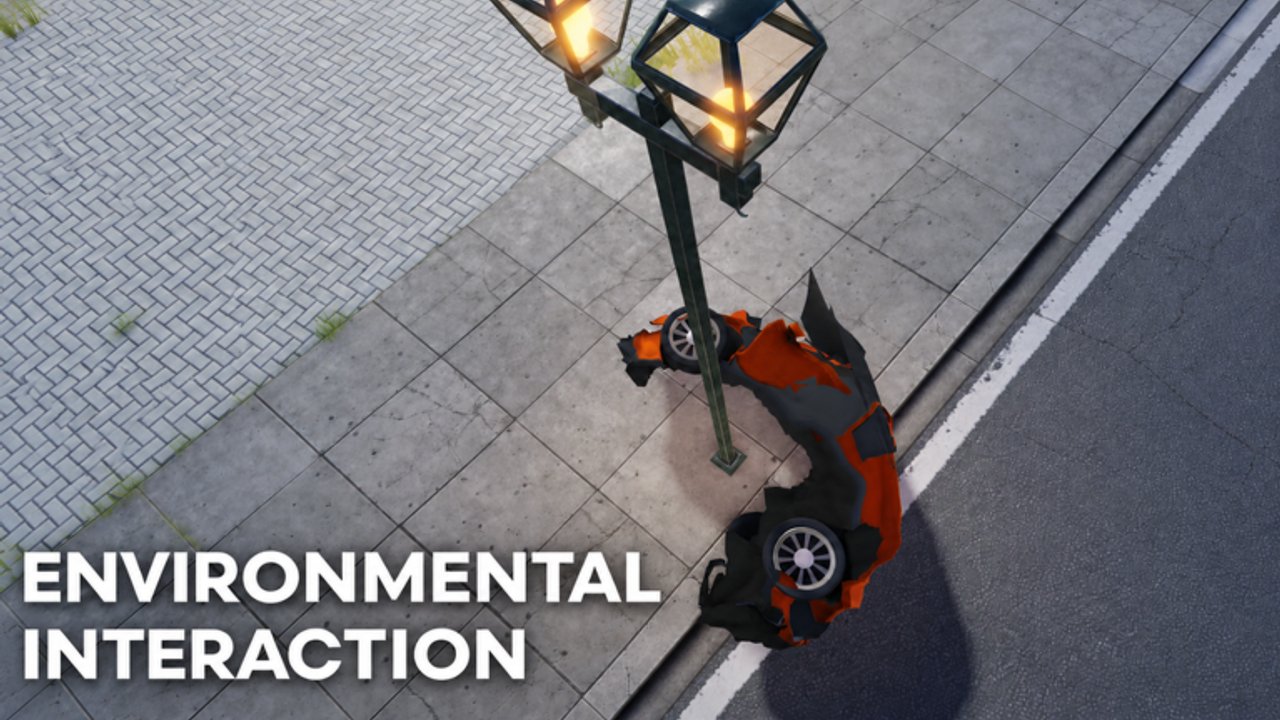
Car Destruction Engine [EARLY ACCESS] advertises realistic soft-body physics and destruction that runs on most devices. That promise is the point of the experience: crumpled panels should look intentional on a mid-range laptop and on a phone, not only on a gaming PC. Soft-body solvers are heavier than classic Roblox bumper damage, so a full 12-player lobby with overlapping wrecks can still stutter if you stack expensive graphics habits on top of the physics cost.
This guide pairs with Soft-Body Physics (what the deformation is doing) and Crash Tips (how to stage impacts). Use Controls when camera or respawn recovery feels worse under lag. After the 2026-11-13 place update window, retest your settings—Early Access patches can change how busy pileups feel overnight. Track that rhythm on the Updates Hub.
Official place: Car Destruction Engine on Roblox. Developer group: RED x ICE Studios.
Device expectations (honest Early Access)
Treat these as practical bands, not marketing claims:
- Modern PC / strong laptop — You can usually keep higher graphics and still film clean crumples. Watch for thermal throttling during long recording sessions.
- Mid-range laptop / older desktop — Soft-body remains playable if you lower shadows, post-effects, and crowd density when lobbies fill.
- Mobile / tablet — The game is designed to remain usable; prioritize stable frame pacing over max quality. Short sessions with clear crash goals beat endless public chaos.
- Very low-end hardware — Expect softer visual fidelity. Focus on single-car wall hits instead of multi-car pileups so the solver stays readable.
If your device struggles the moment a second car joins the impact, that is a signal to simplify the scene—not a reason to invent “FPS scripts.” See the Scripts Hub for why we refuse unverified executors.
Roblox client habits that help soft-body
- Close background apps that eat CPU/GPU (browsers with dozens of tabs, Discord overlays at max, screen recorders you are not using).
- Use a wired or strong Wi-Fi link — soft-body state is server-authoritative enough that packet loss looks like rubber-banding wrecks.
- Lower graphics quality one step at a time until pileups stay smooth, then stop. Do not drop to minimum if medium already holds 50–60 FPS.
- Disable unused overlays (NVIDIA/AMD FPS counters stacked on Roblox’s own stats) when filming.
- Prefer landscape orientation on mobile for driving cameras; portrait can crop the crumple you care about.
Session design for smoother crashes
Performance is also a session design problem:
- Public 12-player lobbies — Great energy, higher solver load. Stage one intentional crash, then reset instead of chaining five wrecks without clearing debris habits.
- Friend-focused sessions — When you can coordinate who spawns what, pileups stay intentional. See Players Hub and Friend Sessions for etiquette and the VIP-server reality check.
- Map choice — Open flat walls and clear ramps are cheaper to resolve than cluttered prop nests. Scout lines with Map Landmarks.
- Vehicle choice — Heavier spectacle cars can look amazing and also cost more when three of them collide. Cross-check Best Cars.
Troubleshooting “mushy” or hitchy deformation
| Symptom | Likely cause | What to try |
|---|---|---|
| Crumple freezes then pops | Local hitch / thermal throttle | Lower graphics; shorter sessions; cooler device |
| Other cars teleport mid-wreck | Network jitter | Better connection; avoid overloaded public Wi-Fi |
| Soft-body looks softer after a patch | Tuning change | Retest with Updates checklist |
| Only mobile feels bad | Device GPU budget | Lower quality; fewer simultaneous wrecks |
| Everything fine solo, bad at 12 players | Crowd + physics cost | Stage smaller impacts; rotate who crashes |
If inputs themselves feel sticky, open Troubleshooting before blaming the soft-body solver.
Recording and content-creator tips
Creators often push graphics higher than they need. For Car Destruction Engine clips:
- Lock a consistent quality preset so viewers are not watching quality flicker between takes.
- Film one crash per take with a planned camera—soft-body sells better when the crumple stays in frame (Controls).
- Keep a backup mid preset for public lobbies when peaks hit thousands concurrent (the experience has already seen multi-thousand concurrent windows and roughly 1.9M+ visits with strong like ratios).
- Do not chase “ultra” if the crumple mesh starts hitching; viewers notice stutter more than missing bloom.
Related reading
- Getting Started — first-hour expectations
- Soft-Body Physics — deformation vocabulary
- Crash Tips — intentional impact setups
- Map Landmarks — cheaper, clearer crash stages
- Updates Hub — retest after the November 2026 patch window
- Codes / Scripts — still no confirmed codes or verified game-specific scripts as of this writing
Soft-body destruction is the feature. Keeping it readable on the device you actually own is how Early Access stays fun instead of frustrating.
Frequently Asked Questions
Quick answers to the most common questions.
Does Car Destruction Engine really run on most devices?
The official description highlights soft-body destruction that runs on most devices. Mid-range and mobile setups stay playable if you lower graphics and avoid stacking huge pileups.
Why do full 12-player servers feel heavier?
Soft-body solvers resolve more contacts when many cars deform at once. Stage smaller intentional crashes or coordinate with friends when lobbies are packed.
Should I use an FPS boost script?
No. Unverified executors risk bans and malware. Use Roblox graphics settings and smarter session design instead—see the Scripts Hub.
What changed after the November 2026 update?
The place showed an update timestamp around 2026-11-13. Retest your usual crash lines and graphics preset using the Updates Hub checklist.
Is mobile good enough for soft-body clips?
Yes for clear single-car crumples. Use landscape, lower quality if needed, and keep takes short so thermal throttling does not mush the deformation.